


Beginner Basics and Speed Change

Hands‑on project introducing splitting/moving clips, trimming, speed change, and other foundational editing skills.
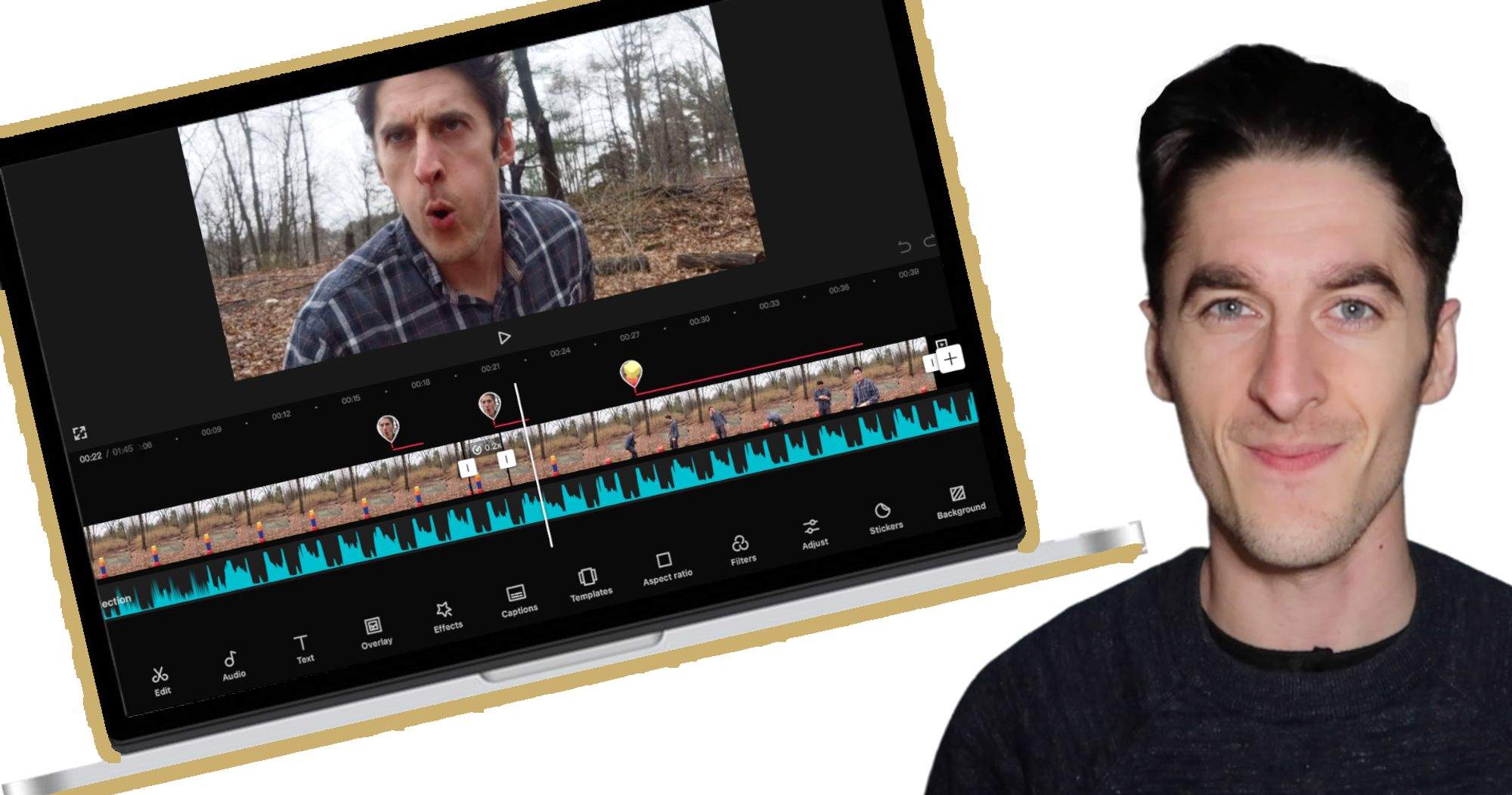
Get a first look at CapCut editing fundamentals—splitting, moving, trimming clips, and speed changes—through a short beginner class.
This short, introductory session teaches foundational CapCut editing techniques such as splitting and moving clips, changing clip speed, and trimming. It serves as the required first class before entering the ongoing beginner level; the instructor asks students about experience and provides guided, project‑based practice. CapCut for desktop/laptop is free to download and use.

Use basic CapCut editing tools split, move, and trim clips
Apply speed changes to video clips
Experience a guided, project‑based introduction to CapCut and the instructor's teaching style
A step-by-step plan of what your child learns, class by class. · 1 Week
Hands‑on project introducing splitting/moving clips, trimming, speed change, and other foundational editing skills.
Next 7 days, US Eastern Time
New class, no reviews yet
Be one of the first families to join. Parents can leave a review after their first class.
Not satisfied after the first class? Full refund.

P. S.
Beginner
Level
7–12
Ages
30 min
Duration
2 / Week
Classes
2
Weeks

Mr. V.
Mixed Level
Level
13–18
Ages
45 min
Duration
5 / Week
Classes
1
Weeks

Mr. V.
Beginner
Level
12–17
Ages
45 min
Duration
5 / Week
Classes
1
Weeks

Kanika V.
Beginner
Level
14–17
Ages
30 min
Duration
1 / Week
Classes
4
Weeks

Vandana S.
Beginner
Level
8–15
Ages
55 min
Duration
1 / Week
Classes
5
Weeks

Mr. V.
Mixed Level
Level
9–14
Ages
45 min
Duration
1 / Week
Classes
6
Weeks
Amar S.
Beginner
Level
12–17
Ages
60 min
Duration
1 / Week
Classes
8
Weeks

Mr. V.
Mixed Level
Level
9–14
Ages
45 min
Duration
1 / Week
Classes
6
Weeks